

Game Design Tutoring for Kids aged 6 - 14
From pixel art to playable games. Tutoring that teaches kids to code, design, and create games.
✓
1:1 sessions with experienced tutors
✓
Designed for beginners aged 6 to 14
✓
Educating children since 2018
Flexible Online Coding Tutoring
Whether your child is taking their very first steps into coding or looking to advance their existing skills, these sessions are designed for them.

.png)
The Program

Bespoke Learning
Every session is fully tailored to your child's unique goals and chosen programming language.

Flexible Scheduling
Includes 1 hour of weekly tutoring, scheduled at a time that works best for you.

Convenient Learning
All sessions are conducted online via Google Meet.
The Tools we use
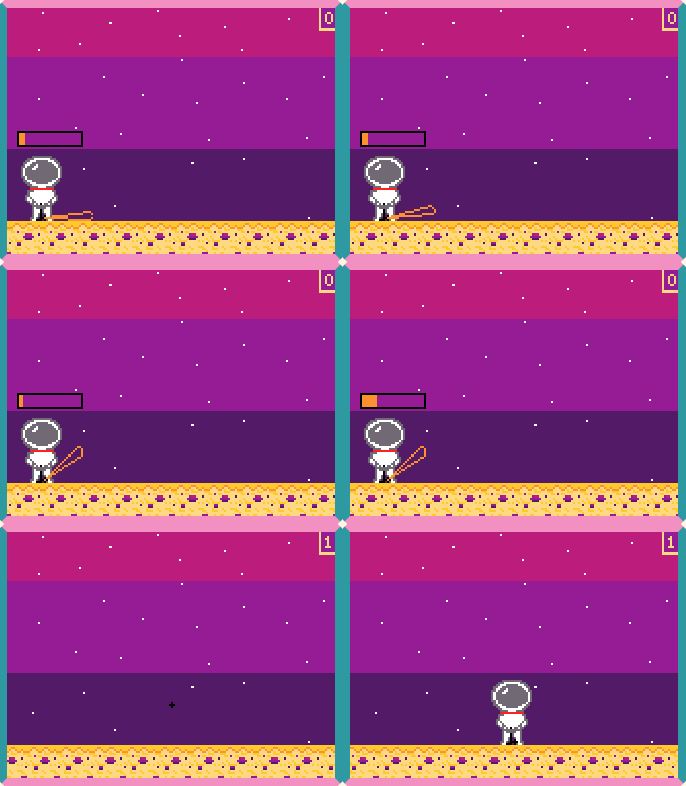
What Software Are We Using to Teach Game Design
Our main playground will be MakeCode Arcade, but we’ll flex to other software depending on your goals. Want to bring your own ideas to life? We'll also dive into pixel art makers so you can design your own custom characters and game worlds from scratch!
What your child will learn
From First Asset to a Complete Game
Our tutors cover four core subjects.
Here's what your child will work through.

1
Pixel Art & Asset Design
What it means: You will learn how to design retro-style, grid-based graphics used in 2D video games.
What you will do: We will use the built-in sprite editor right inside MakeCode Arcade (or dedicated tools like Piskel and Lospec depending on your needs) to draw custom characters, tilemaps (game worlds), and frame-by-frame animations. You’ll learn how to work with limited color palettes and shapes to make your graphics look professional.
2
Character Development
What it means: Moving beyond just drawing a character – giving them life, mechanics, and a role in the game.
What you will do: You will define who your character is and how they interact with the world. We will set up player physics (speed, gravity, and jumping), design enemy behaviors (like patrolling or chasing), and create power-ups that change your character's abilities.
3
Storytelling & Game Design
What it means: Crafting the flow of the game so it feels fun, cohesive, and rewarding to play.
What you will do: You will learn how to structure a game from start to finish. We will program introductory cutscenes, splash screens, conversational text bubbles between characters, multi-level progression, and win/lose conditions that tell a satisfying story.
4
Simple Code & Core Logic
What it means: Building the "brain" of your game using foundational programming concepts.
What you will do: Using MakeCode Arcade’s visual blocks (with the option to transition to JavaScript or Python), you will learn how to set up essential functions. This includes Variables (to track scores, health, and countdown timers), Conditionals / If-Statements (e.g., if the player touches a coin, then play a sound and add a point), and Event Handlers (mapping controller buttons to on-screen actions)
Your Tutors
Three experienced tutors lead our game design sessions. Your child is matched with the best fit for their age, pace, and interests.

Moschoula Foteinaki
VR, AI & Creative Coding Educator
Moschoula brings 6 years of experience teaching technology-based after-school clubs, including 4 years with Building Imagination. She is also involved in curriculum design and is passionate about finding new ways to help students engage with and learn through technology. She is currently pursuing a Master’s degree in Education and Technology at UCL.
✅ DBS checked

Zuzanna Suchon
VR, AI & Creative Coding Educator
Zuzanna comes from a lineage of classical musicians and is deeply immersed in multi-sensory design and neuroaesthetics.
✅ DBS checked

Mel Cupper
VR & Creative Coding Tutor
Mel is a former interaction designer who spent over a decade working in multimedia before training to teach secondary computer science.
✅ DBS checked

Jack Hally
VR, AI & Creative Coding Educator
Jack is a musician and recent Fine Art: Computational Arts with Creative Computing graduate whose practice primarily lies within sculptural sound design and automous generative systems.
✅ DBS checked
Reviews
What children and parents say about our tutoring
"[Tutor name] is so nice, patient and supportive. I really enjoy learning with him because he always explains everything clearly and makes it easy to understand. He makes game design so interesting and fun. I am really happy with the first game I made in Code Arcade and I can't wait to create even more."

Oscar T.
Student,11 years old
"I had a wonderful experience with Building Imagination. My tutor [Name] is sooo amazing. He cares that I learn and is an expert in his field! This is the first time I actually like to do my homework 😅 I just can't wait for the next lessons."

Lou L.
Student, 9 years old
"I am so glad I found Building Imagination. We started with the game design sessions and are now doing some of the AI classes. I can truly see how happy and enthusiastic my son is about his lessons. More importantly, I can see his progress and the brilliant little things he creates. Thanks for all your hard work"

James R.
Parent of Tim, 8 years old
Pricing Plans
Sessions run weekly, online or in person. Pause or reschedule any time.
First lesson
See if it's a fit – no commitment
FREE
30 min intro lesson
Ongoing lessons
Steady weekly lessons
£50 per hour
60 min lesson
All major payment methods accepted
FAQ's
Start Their Game Design Journey With a Free Taster Lesson
Give your child a chance to try out live game design tutoring completely free of charge. Just leave your details in the form, and we will contact you to arrange a session that fits around your family's schedule. There is no commitment required, just a great opportunity for them to explore new technology.